Engagement Hub
This help article covers:
Engagement Hub Overview
Engagement Hubs let you share content, plans, or both with external recipients in one place.
Popular use cases include:
- Digital sales rooms
- Onboarding plans
- Project plans
This video demonstrates:
- What an Engagement Hub looks like
- How to add an Engagement Hub
- How Administrators can set templates
Engagement Hub is a feature that uses a special Content Type. By default, the Content Type is named 'Engagement Hub,' but you can customize it (e.g. Deal Room, Onboarding Plan, Project Plan).
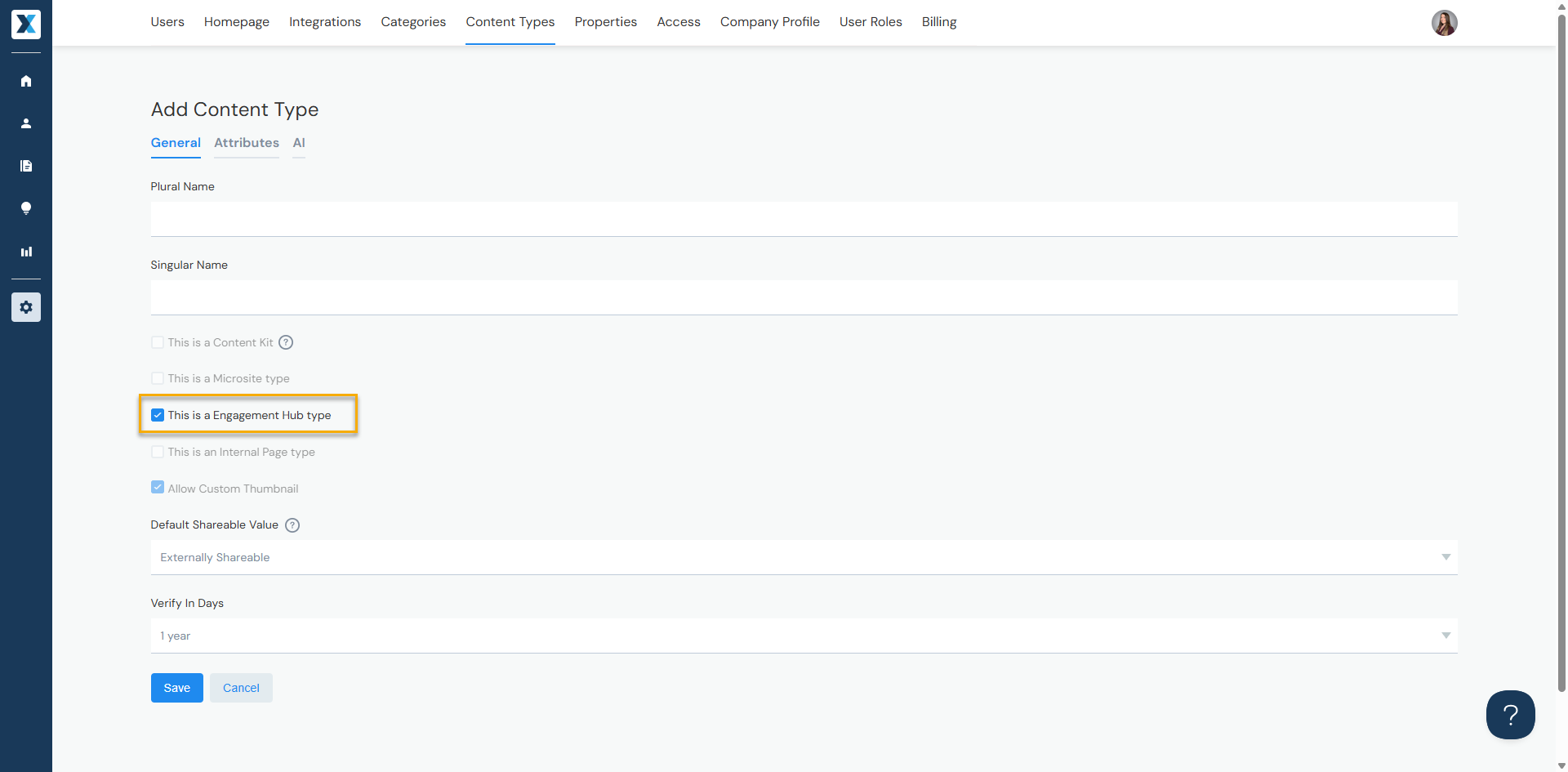
Administrators can add, modify, and delete Content Types from Company Settings > Content Types. When adding a new Content Type, check "This is an Engagement Hub" to enable Engagement Hub functionality.
Engagement Hub Tabs
Whether you share content, plans, or both, you do this through tabs.
This video demonstrates:
- How to add, modify, and delete tabs
- How to update the header (e.g. adding contact information, uploading a logo, changing the background image)
Content Tabs
Use Content Tabs to display and share content on an Engagement Hub. You can have one or multiple Content Tabs.
Plan Tabs
Use Plan Tabs to display and share plans on an Engagement Hub. You can have one or multiple Plan Tabs.
Assigning Task Owners
If using Plan Tabs, this video demonstrates how to assign task owners:
Dashboard Tabs
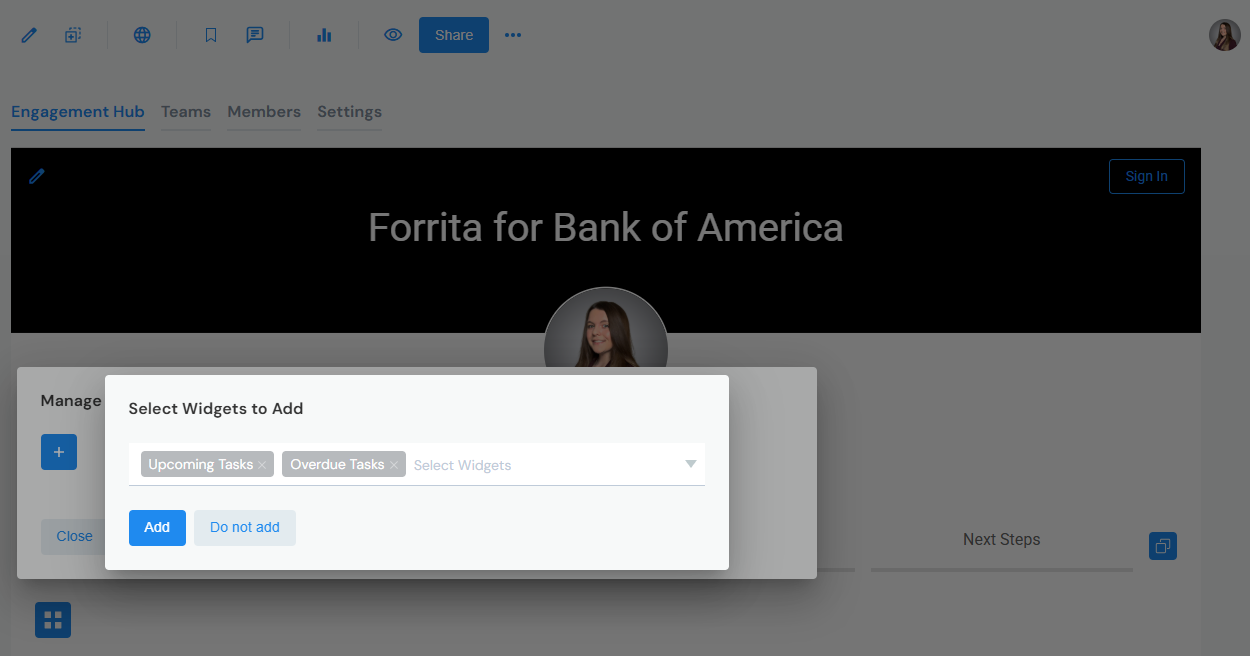
If using Plan Tabs, you can add a Dashboard Tab to display upcoming tasks, overdue tasks, and more.
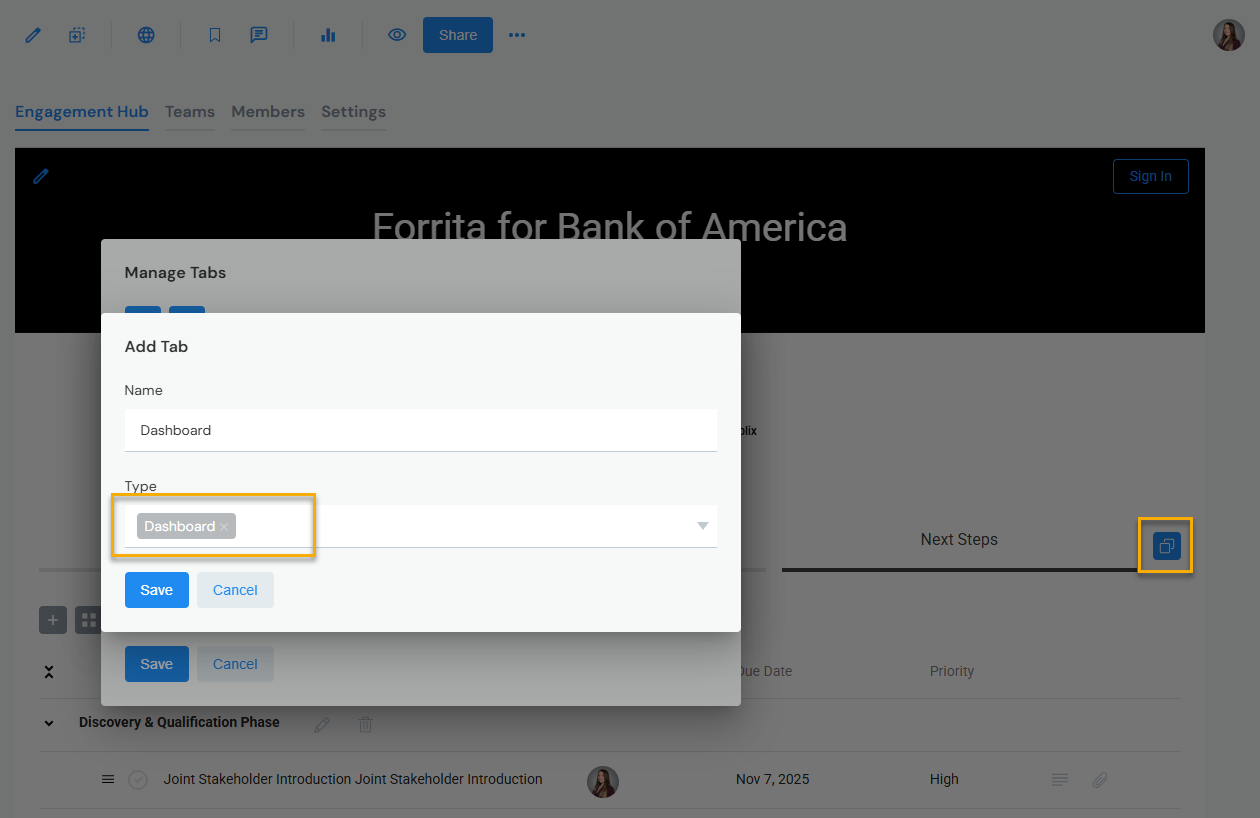
From Manage Tabs, add a Dashboard Tab by selecting Type 'Dashboard:'
Navigate to the Dashboard Tab and click Manage Dashboard Widgets. You can configure your dashboard to display plan tasks filtered by upcoming, overdue, completed, and more.