Tracking Engagement
See which recipients viewed your content, how long they viewed it, and whether they downloaded it. You can track engagement in four places:
- Email Notifications
- My Stuff
- Content Insight (some tabs/features are Admin only)
- Insights (Admin only)
Email Notifications
By default, you'll receive an email notification when recipients view content you share:
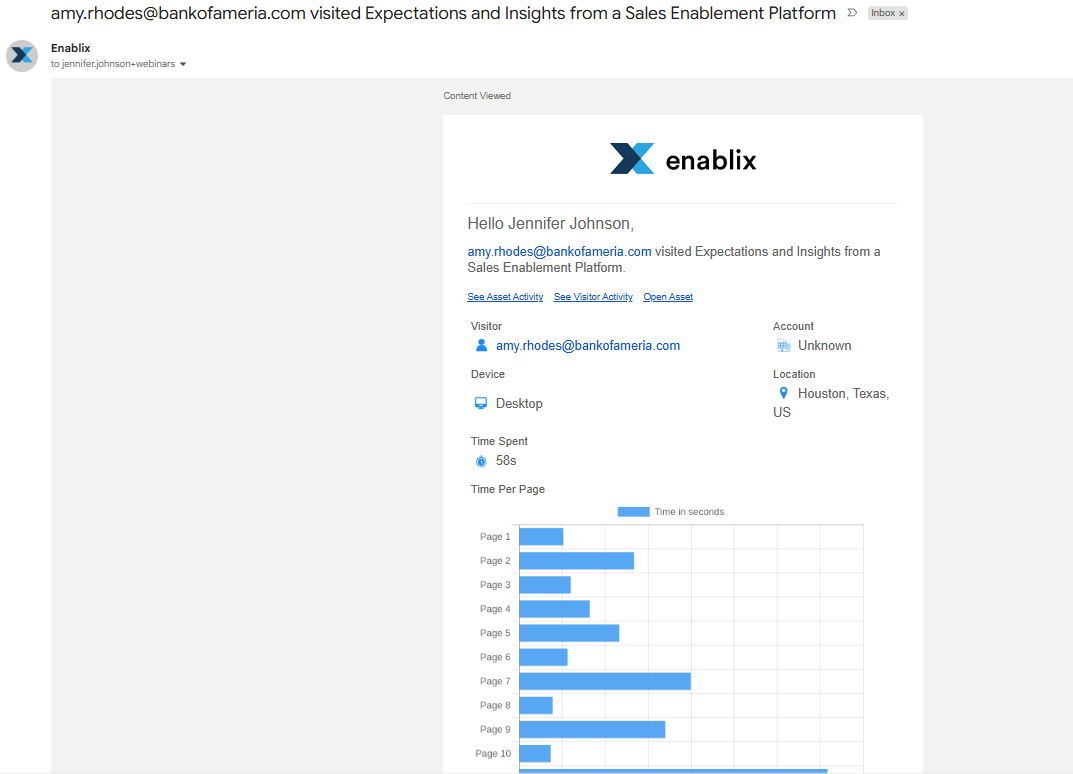
You can also opt in to:
- Daily summary: A daily summary of who viewed your shared content.
- Owner and Collaborator notifications: Notifications when content you're the Owner or a Collaborator on is viewed, even if you didn't share it.
To update your notifications, click your profile icon in the top-right corner, select User Profile, then go to Email Notification Preferences.
My Stuff
Click My Stuff in the left-hand navigation bar.
Your personal reporting dashboard, organized by tab:
- Dashboard: Your recent shares, what's been viewed, and who viewed it.
- Content Activity: Engagement for each piece of content.
- My Links: Every link you've shared, and whether and by whom it's been viewed.
- Account Activity: Engagement by account (requires CRM integration).
- Visitor Activity: Engagement by individual visitor.
- Email Activity: Emails you've sent, and who viewed the content in them.
Content Insight
Open the content and click Content Insight in the top toolbar.
Engagement for an individual piece of content. All Enablix users can access Content Insight, but access to some tabs varies by role:
- Performance: Whether content you shared externally has been viewed. Admins can see all views and who shared the content.
- Links: Links you've shared and whether they've been viewed. Admins can see all shared links and views.
- Used In (Admin only): Where the content is used, like Content Kits, Engagement Hubs, Microsites, and Learning.
- All Activity (Admin only): Full audit history, from which Enablix users accessed the content to who last updated it.
Insights (Admin only)
Click Insights in the left-hand navigation bar.
Your organization-wide reporting dashboard, organized by tab:
- Dashboard: Recent shares, what's been viewed, and who viewed it.
- Activity: Enablix user activity.
- Coverage: How content is organized.
- Engagement: Content engagement across your organization.
- Reports Library: Your saved reports.
Questions? Reach out to help@enablix.com.