How to Install the Salesloft Extension
The Enablix Salesloft Extension is included with Enablix but requires a Salesloft Admin to install it.
- In Salesloft, open Settings
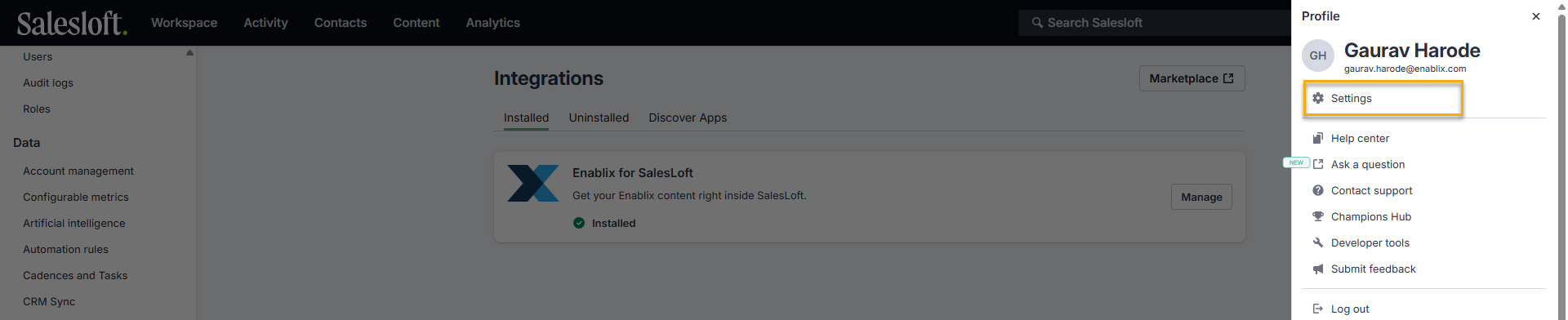
- From the left-hand sidebar, go to Administrator > Integrations
- In the top right, click Marketplace
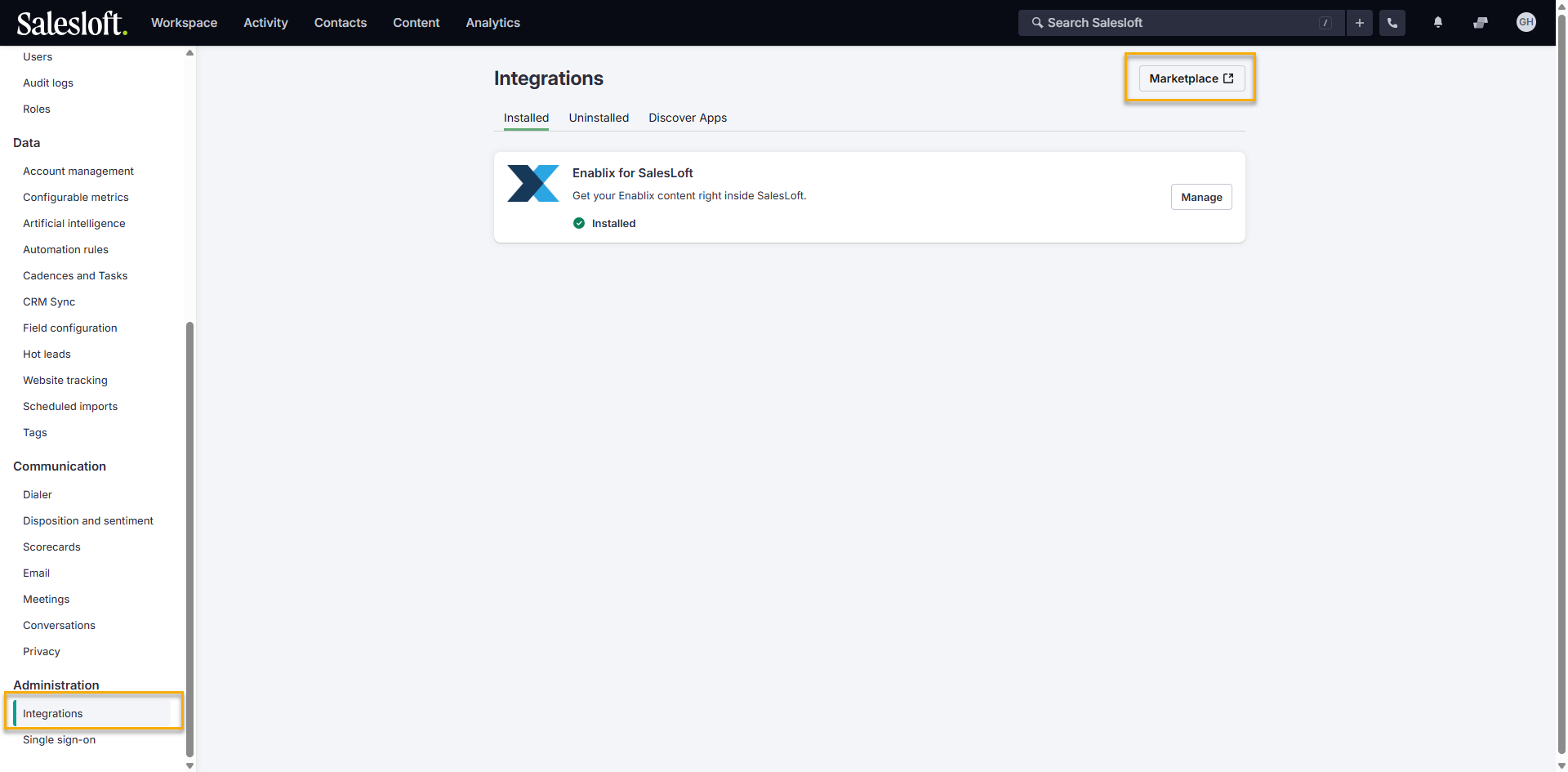
- Search for Enablix for Salesloft and click to install
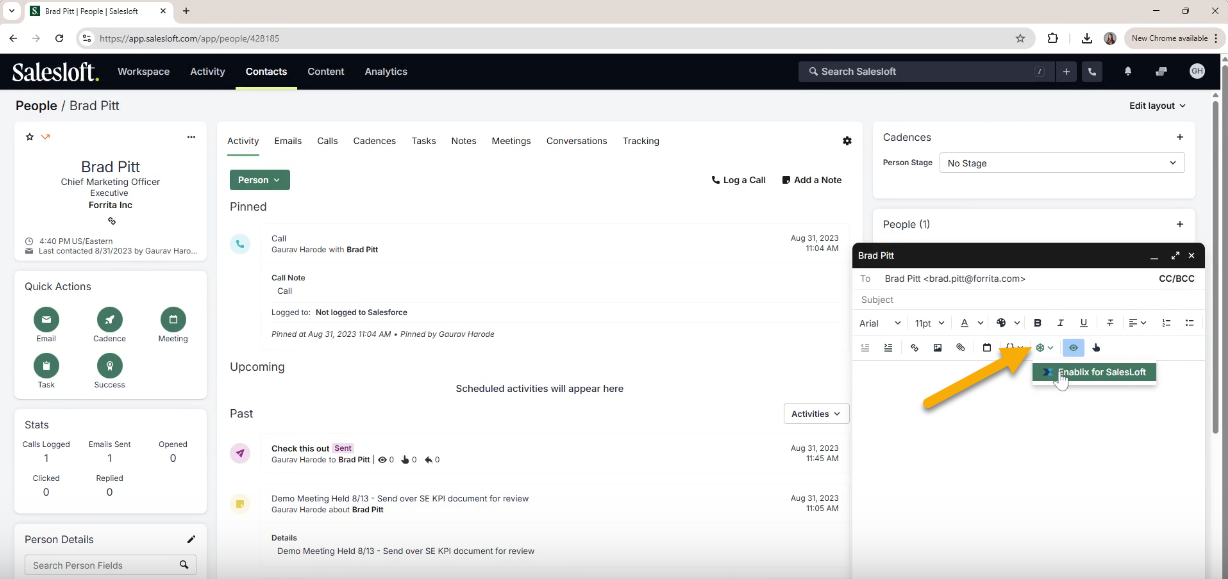
Once installed, the extension will be available to all Salesloft users when composing 1-1 emails or adding templates and cadences:
Important: After installing, contact your Enablix Customer Success Manager or reach out to help@enablix.com before using — Enablix needs to confirm everything is configured on our end for the extension to work properly.
Have a question? Reach out to us at help@enablix.com — our support team is here to help.