Users (Company Settings)
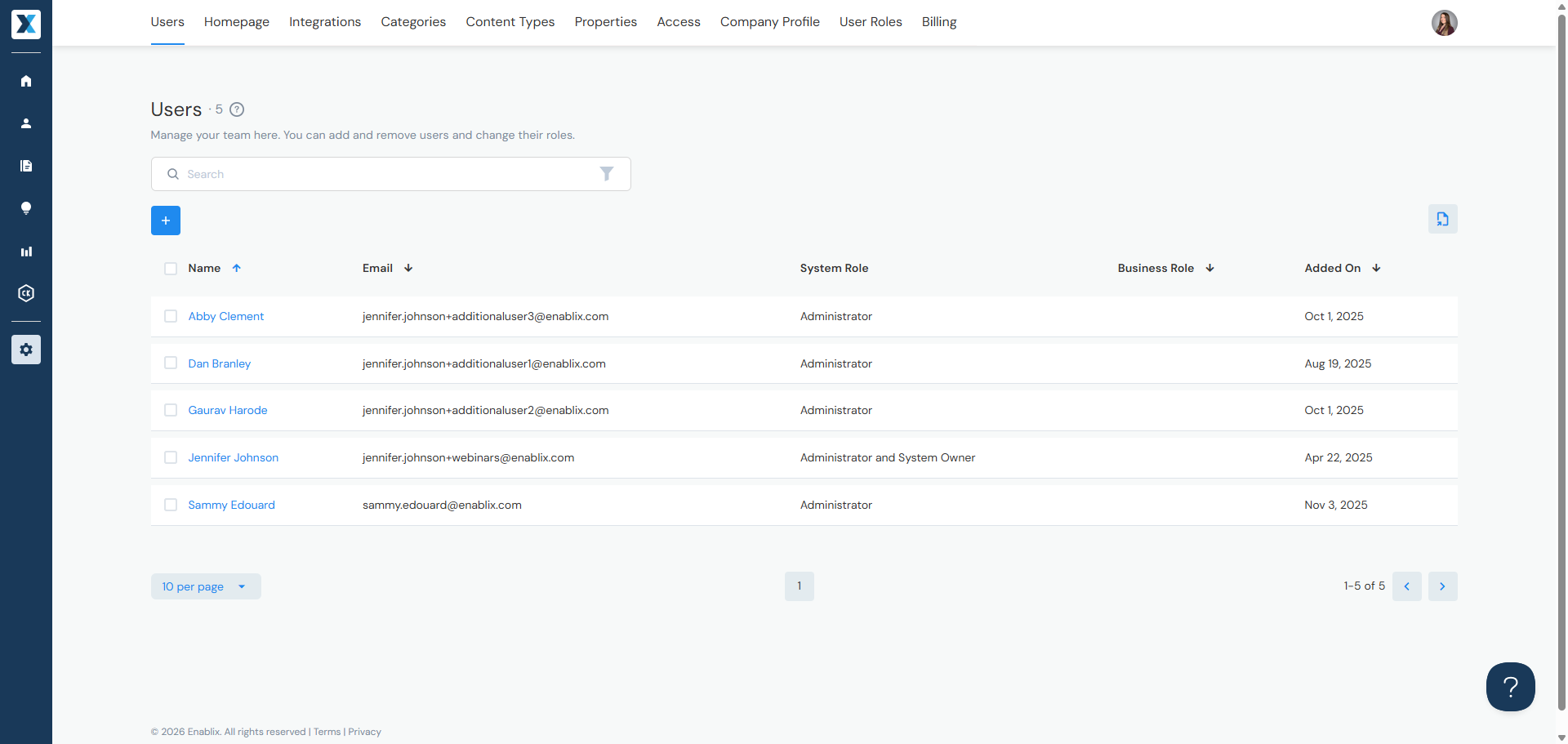
Manage who has access to Enablix in Company Settings > Users:
Jump to:
Adding Users
Adding New Users
- Click the + button
- Enter the user's name and email
- Select their system role* and business role**
- Click Save — the user will receive a welcome email from support@enablix.com
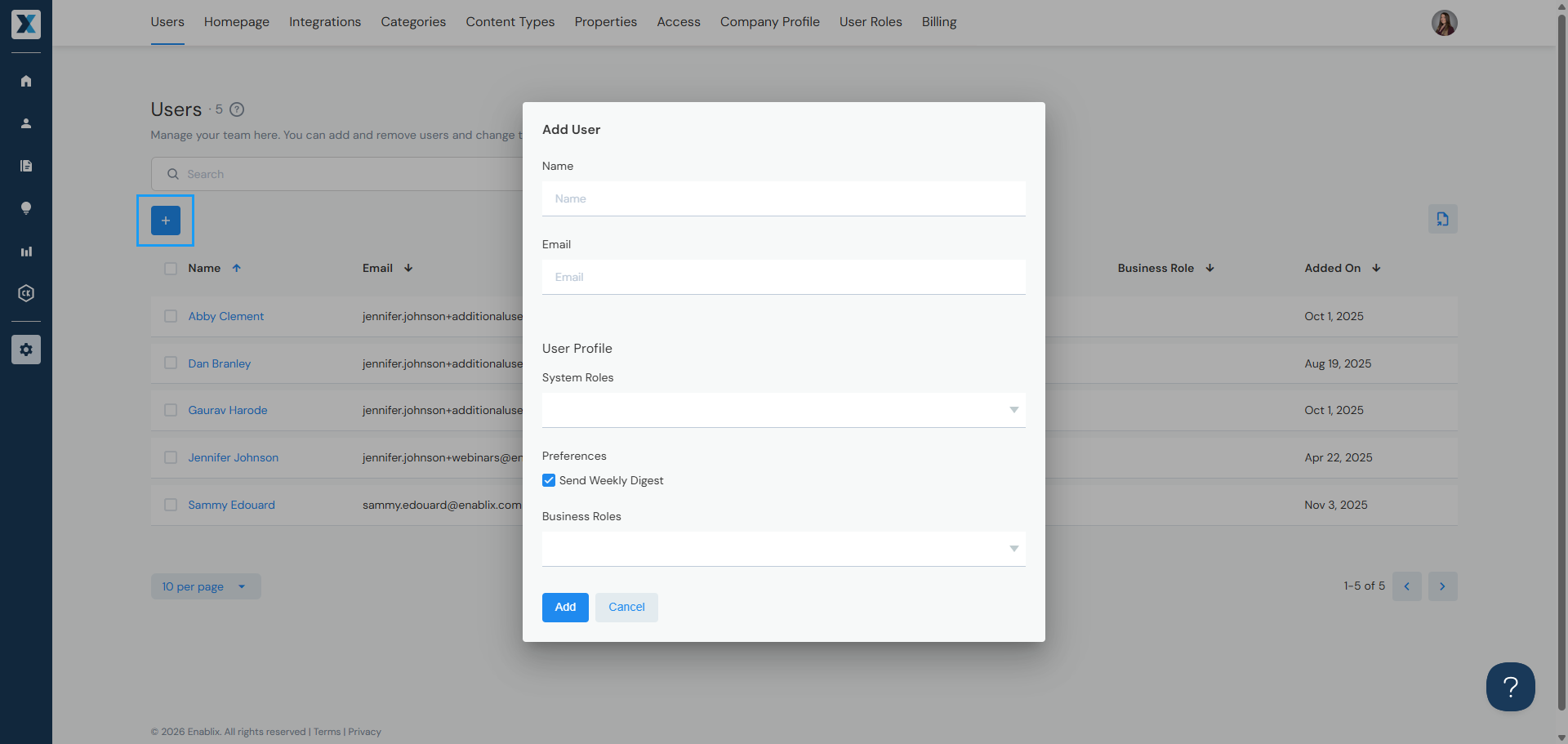
*System roles — control permissions and what users can do — learn more
**Business roles — used for organizational grouping and filtering by department — manage in Company Settings > Properties
By default, users sign in with their email and password. If SSO is set up for your organization, users will sign in through your identity provider instead. To discuss SSO setup, contact your Enablix Customer Success Manager or reach out to help@enablix.com.
Editing & Deleting Users
You can edit or delete a user two ways:
- By checkbox — Check the box to the left of the user's name, then click the pencil icon to edit or the trash can icon to delete
- By name — Click the user's name to open their profile and edit or delete from there
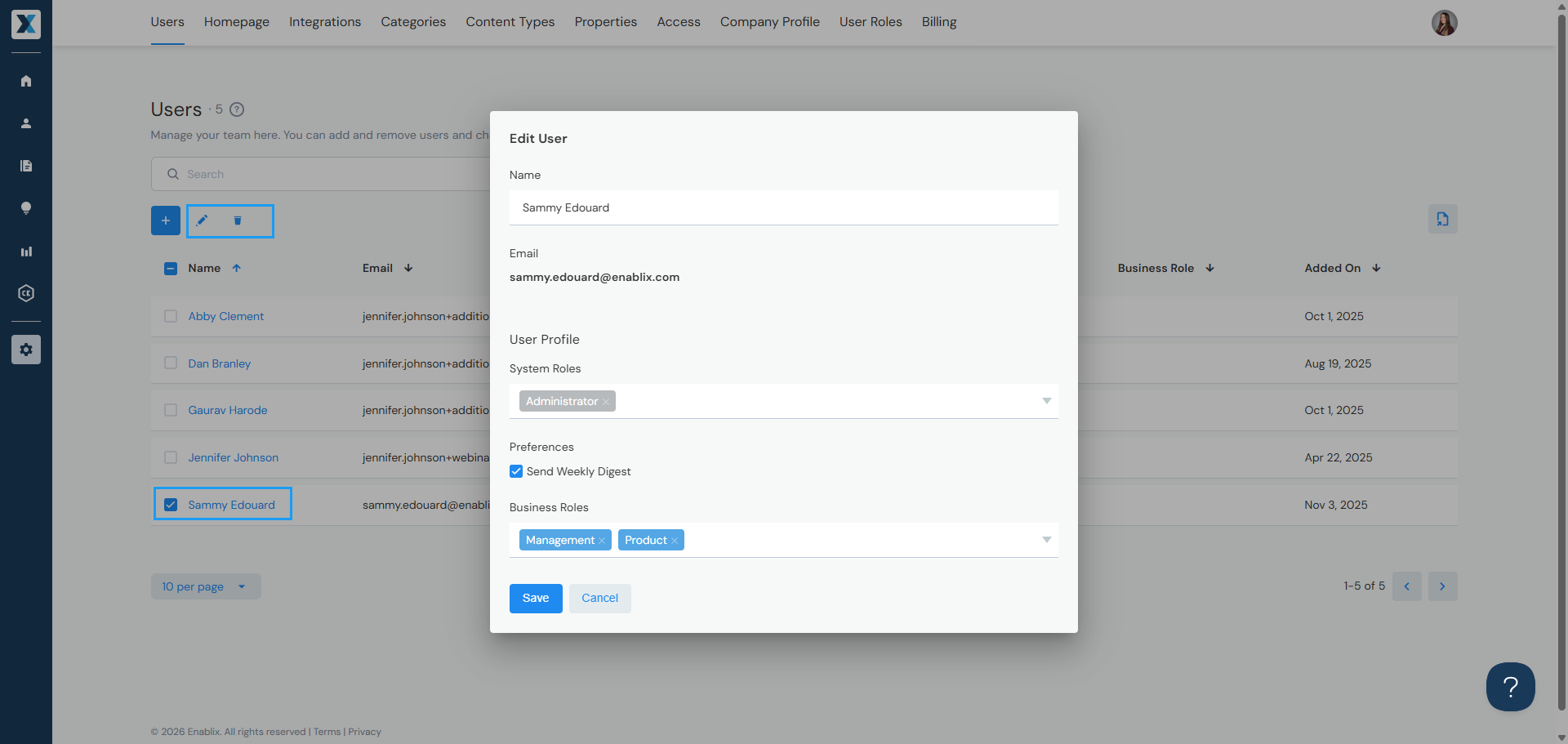
Need to change a user's email? Email addresses cannot be updated directly — reach out to us at help@enablix.com and we'll take care of it.
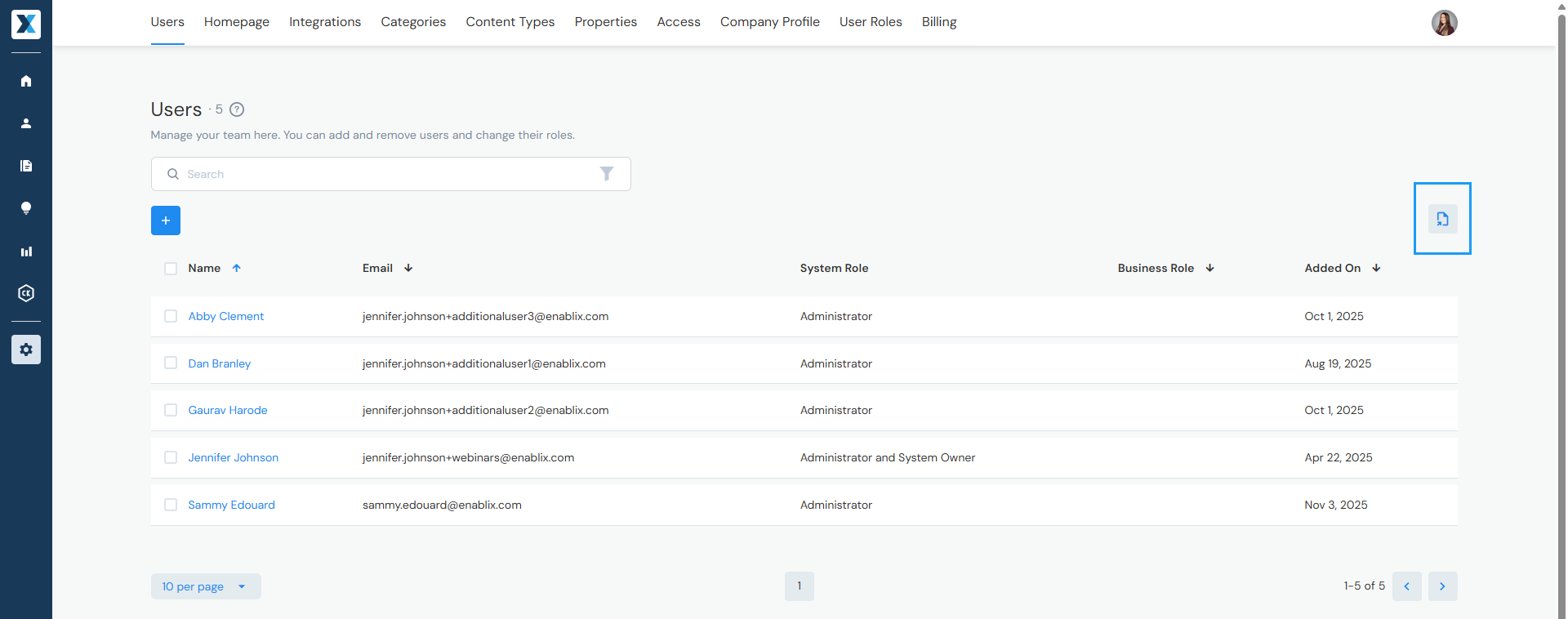
Exporting User List
Click the document icon to export a list of users — the list will be sent to you via email.
Have a question? Reach out to us at help@enablix.com — our support team is here to help.