Your User Profile
Open your user profile settings by clicking your profile icon in the top right and selecting User Profile:
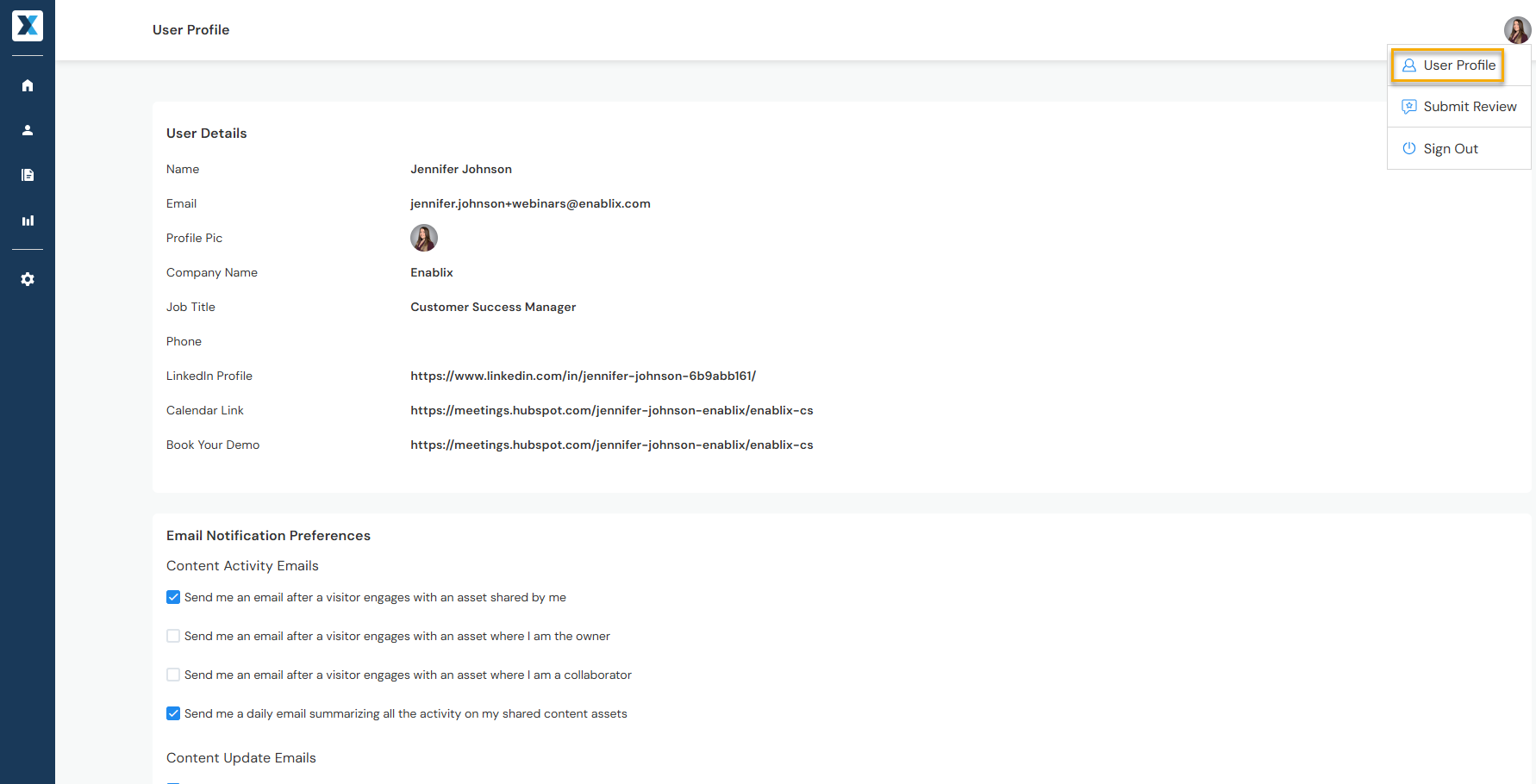
- User details — Name, profile picture, and contact information
- Email notifications — Preferences when shared content gets viewed and more
- Slack or Microsoft Teams — Integrate to share content via a Slack or Teams channel
- Mailbox integration — Integrate and add your email signature to share content via email