Tracking Engagement
Overview
Track engagement to see what content is working and which accounts are engaged.
User Engagement Tracking
All users can track engagement on their shared content using one of the following options:
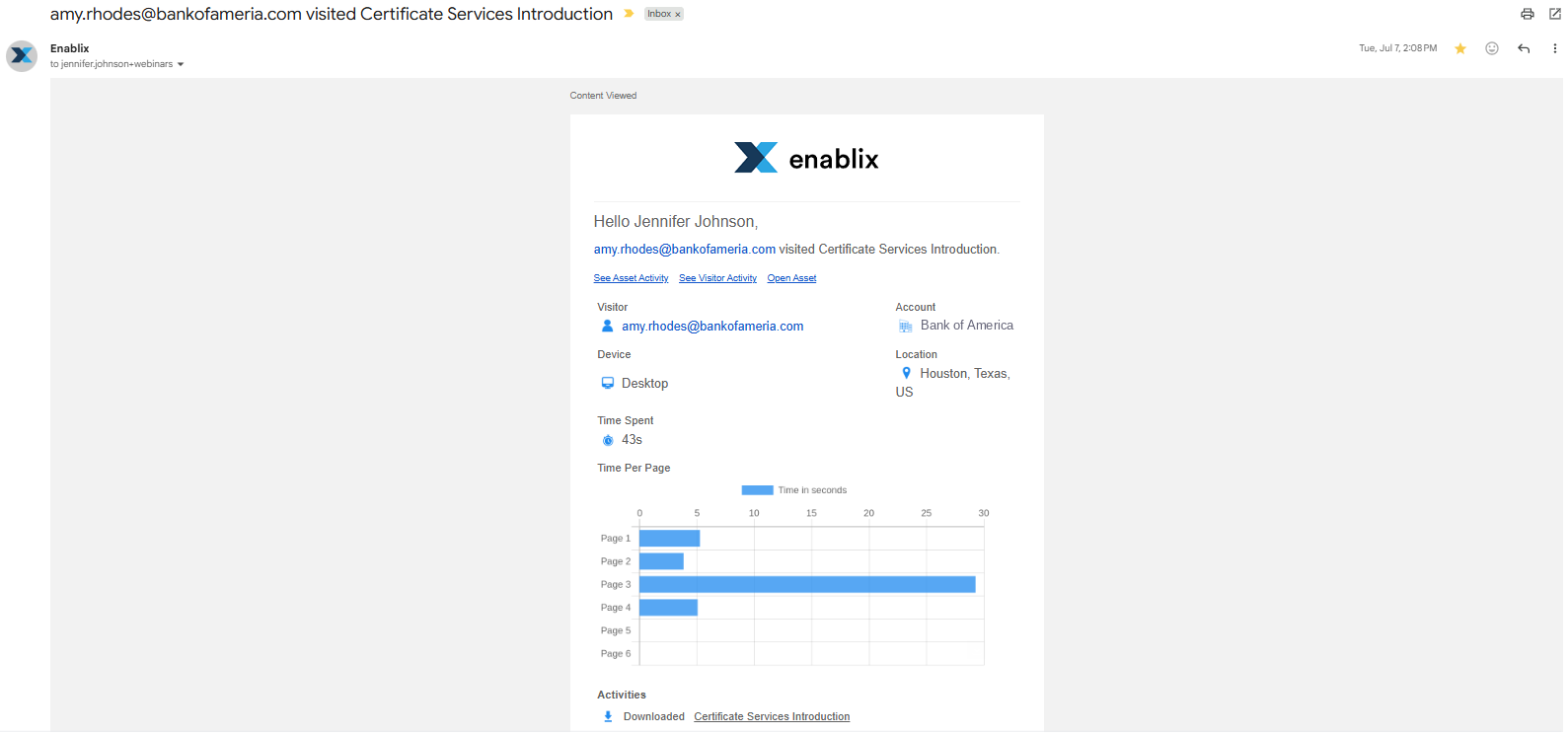
Email Notifications
By default, you'll receive an email notification each time your accounts view your shared content. You can control your email notification preferences from your user profile, including:
- Send me an email after a visitor engages with an asset where I am the owner
- Send me an email after a visitor engages with an asset where I am the collaborator
- Send me a daily email summarizing all the activity on my shared content assets
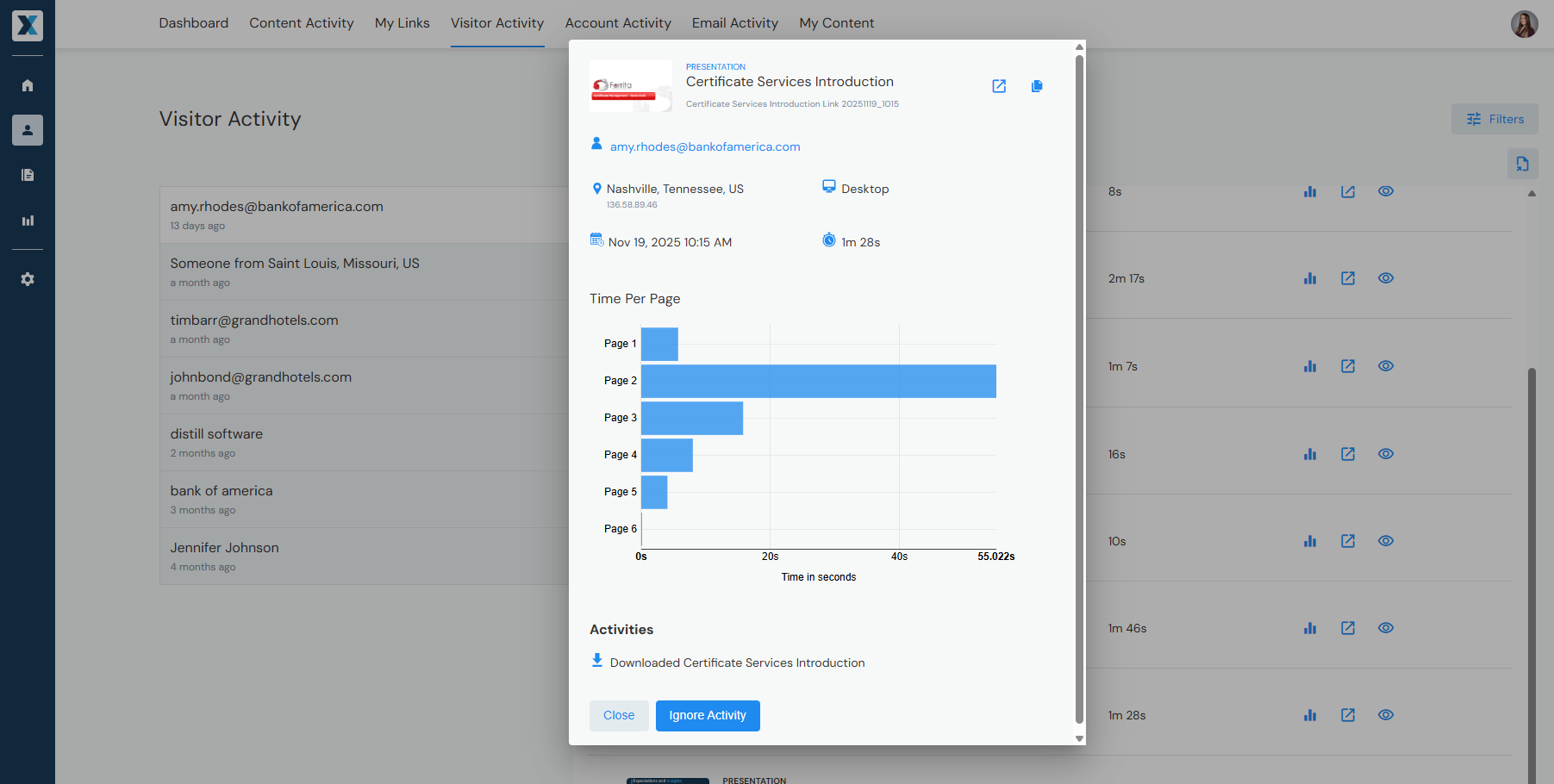
My Stuff
Your user reporting dashboard where you can track engagement on all your shared content in one place.
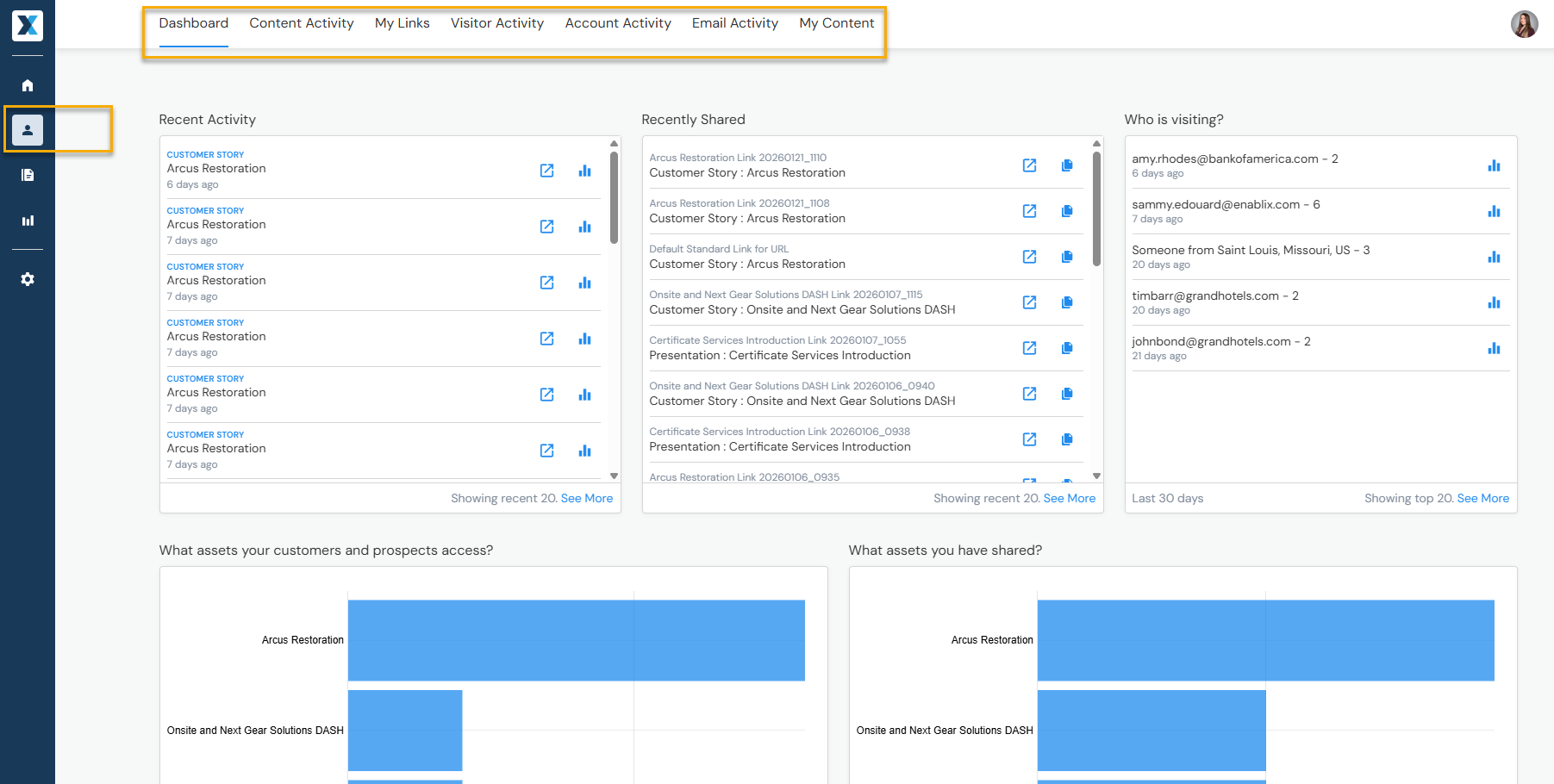
- Dashboard — Overview of recently shared and viewed content, including who viewed it
- Content Activity — Individual content-level tracking
- My Links — Individual sharing link-level tracking (each time you share content, a unique link is generated for tracking purposes)
- Visitor Activity — Individual visitor-level tracking
- Account Activity — Account-level tracking (CRM integration required)
- Email Activity — Your sent emails and their tracking (Enablix tracks when recipients view your shared content in an email, not if they open the email)
Content Insight
Individual content-level reporting. While all users have access to Content Insights, access to individual tabs depends on a user's system role.

From here, you'll see the tabs your system role gives you access to:

- Performance — External engagement; if it was shared externally, see who viewed it
- Links — Individual sharing link-level tracking (each time you share content, a unique link is generated for tracking purposes)
- Feedback — Your submitted content feedback
- Used In — Whether it's being used in Engagement Hubs, Microsites, Content Kits, or Learning Paths (if applicable)
- All Activity — Internal engagement; audit log of Enablix users who have added, updated, or accessed it
Admin Engagement Tracking
Insights
Admin reporting dashboard where you can track engagement across all shared content. From here you'll see the following tabs:
Dashboard
Overview of recently shared and viewed content, including who viewed it.

- Content Manager Statuses — Count of published content, open quality issues, content due for verification, archived content, and pending content requests
- Recent Activity / Recently Shared / Who Is Visiting — Overview of content that was recently shared, viewed, and who viewed it
- Portal User Access — Enablix users accessing content
- External Access — Prospects and customers viewing content
- Top Content (Internal) — Top 10 content items accessed by Enablix users
- Top Content (Exteral) — Top 10 content items accessed by prospects and customers
- Content Types — Most utilized content types
- Content Age — Content age, from 0–3 months to 24+ months
- Failed Searches — Enablix user searches that returned no results
Activity
Internal engagement — audit logs and user searches.

Coverage
Content organization, including where your content appears across Engagement Hubs, Microsites, Content Kits, or Learning Paths (if applicable).

Engagement
Reports focused on internal and external engagement.

Reports Library
Save customized reports — including any filters you've applied — so you can revisit them without starting from scratch each time.

To save a report, click Save Report:

Once in the Reports Library, select the checkbox next to a report to delete or edit it. Editable fields include the name and description — to update filters, re-run the report and save it as a new report.

Have a question? Email us at help@enablix.com.