Start Here
Jump to:
What's Enablix?
Enablix is a content enablement platform that helps you find, share, and track content — all in one place.
- Find — Search, filter, and browse your organization's content library
- Share — Send content anywhere you work, directly from Enablix or via extensions
- Track — See when prospects and customers engage with content you've shared
Prefer a guided walkthrough? Join a live Enablix Walkthrough session or watch a replay.
Where to Access
Enablix is available via web, mobile, and tools you already use. Access varies by device:
Full experience — Web, iPad, and Salesforce
- Web — YourCompanyName.enablix.com
- iPad — iOS app (search "Enablix" in the App Store)
- Salesforce — Available when Enablix is integrated with your org
Streamlined experience — Mobile and extensions
- iPhone & Android — Search "Enablix" in your app store
- Extensions — Outlook, LinkedIn, and more — see all extensions
On mobile and extensions, you can find, share, and track content — but adding content and some sharing and tracking options are not available.
How to Navigate
Navigate Enablix from sections on the left-hand side:

1. Home — Browse, search, and add content
2. My Stuff — Your personal reporting dashboard
3. Content Manager — Manage your content library
4. Insights* — Administrative reporting dashboard*
5. Company Settings — Platform configurations
*Access to Insights and Company Settings varies by system role. Not all users will see these sections.
Your User Profile
To open your profile settings, click your profile icon in the top right corner and select User Profile.
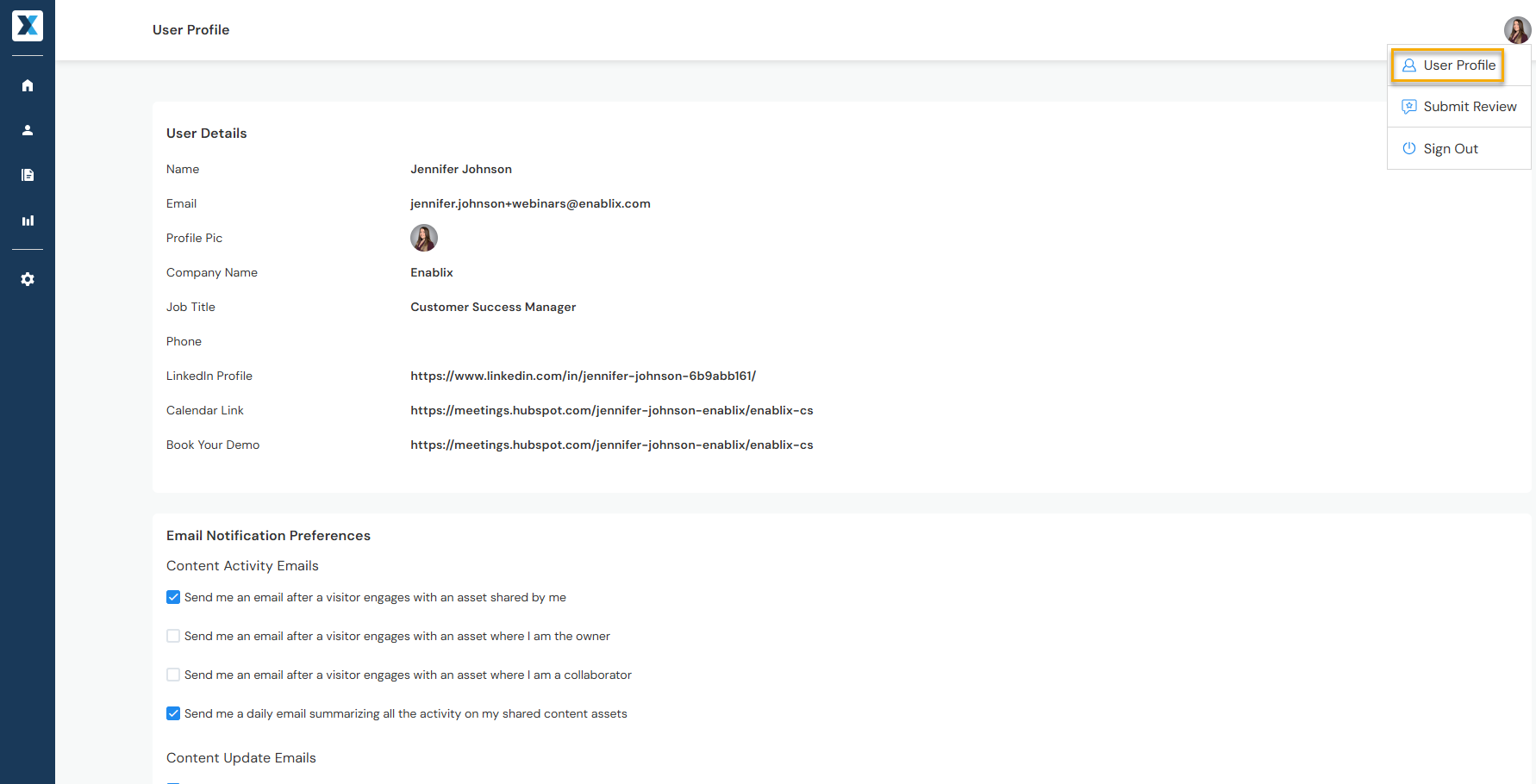
- User Details — Update your name, profile picture, and contact information
- Email Notifications — Manage when you're notified about shared content activity
- Slack or Microsoft Teams — Connect your account share content via a Slack or Teams
- Mailbox Integration — Connect your email and add your signature to share content via email
Have a question? Reach out to us at help@enablix.com — our support team is here to help.